
Cloud Release Mobile Header
Synchronoss Personal Cloud Release logo

Synchronoss Personal Cloud 26.9

Introducing our latest release, bringing your most important content closer to home.

Shared Albums

Introducing Shared albums; a collaborative experience even for non-subscribers. Whether it’s a family vacation or everyday moments, subscribers can invite friends and family to contribute, view, and enjoy shared memories. By making it easy to share personal content, providers can increase the value of their cloud offering, and keep subscribers engaged for longer.
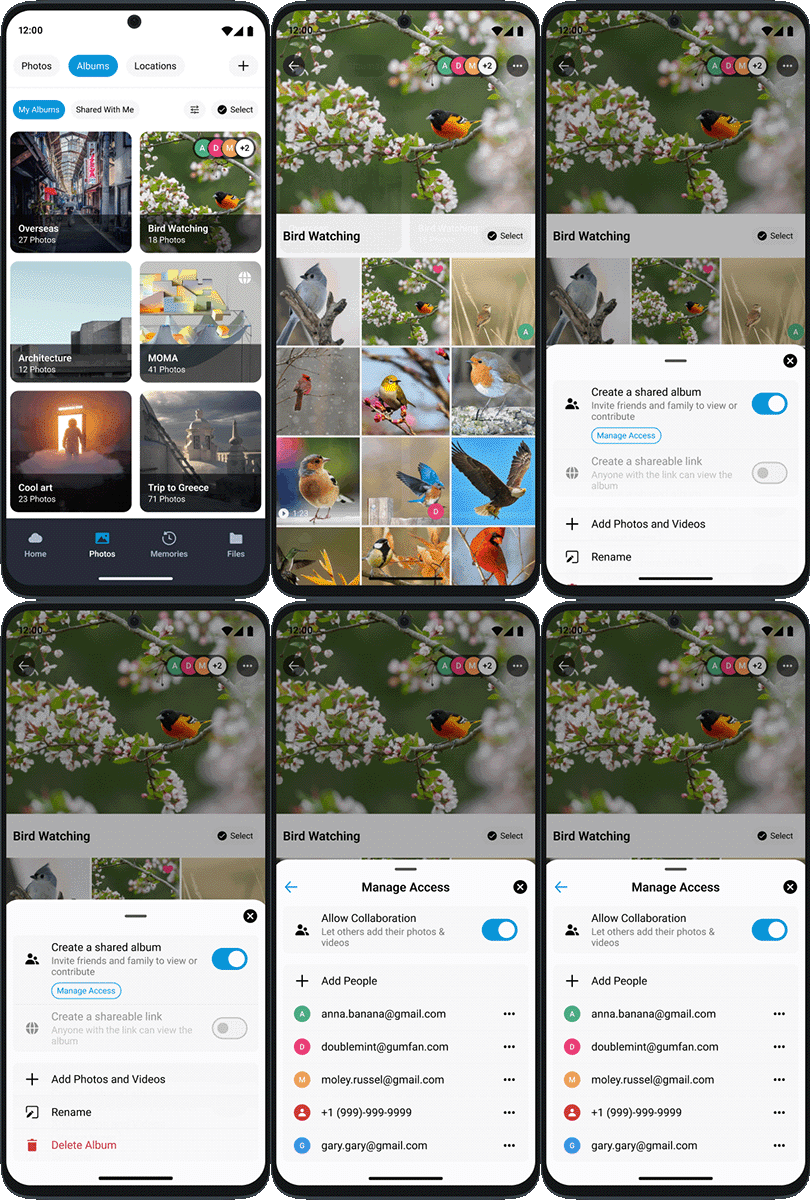
Synchronoss Personal Cloud Release 26.9 Shared Albums

Redesigned Homescreen

The homescreen matters. Most users organize and surface content there, that’s why our latest release introduces a redesigned home screen, including a consolidated search and home search bar designed to make content discovery more intuitive. This focus on easier discovery sets the stage for a more natural way to search personal content.
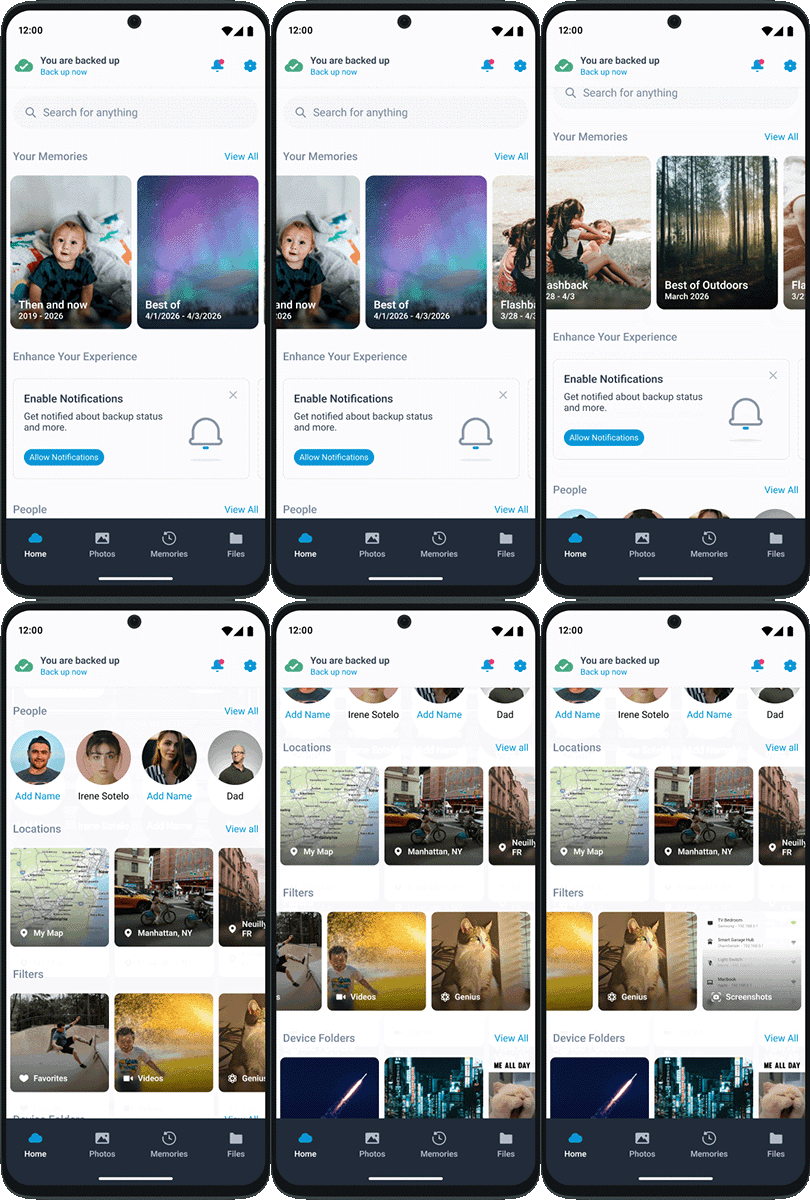
Synchronoss Personal Cloud Release 26.9 Redesigned Homescreen

Cloud Releases

Improved scrolling and navigation throughout
Improved Locations experience, including UX and performance improvements for browsing photos by place
Added a clearer Face Tagging opt-in card, giving users more control over enabling the feature
Added iOS Low Power Mode monitoring to identify when battery settings may affect backup
Updated Home Screen
Thumbnail Preview for Genius styles
New Videos and Live Photos Filter (iOS only)
Backup Improvements

Updated Photo Galleries
​Improved Notification Banners

Updated Branding and Theming
​Improved Push Notifications
​Analytics and Reporting Updates
Enhanced ​Data Sync and Backup

Settings Consolidation: The settings menu has been updated and combined with the functions previously available under the ‘More’ navigation option
​General Improvements: Notification to encourage background backup when a user has gone 7+ days without backing up

Local Content Folder Backup (Android): displays local content device folders on the home page and encourages the user to back these up
​Backup of iCloud Content (iOS): when Optimise Storage is turned on, full-resolution photos and videos are stored in iCloud, and, when needed, space-saving copies are stored on the users device. In order to keep cloud backed up with the latest original content, it will download the original photos and videos from iCloud, back them up to cloud and remove them again from the device.

Audio Redesign: streamlined access to audio and music files
Iconography: updates to some application icons
Genius Styles: ability to redo/undo styles

  • Contact sync dialogue
  • Message inbox promotion
  • Over-sized file warning in local content preview
Spotlight: Targeted tips engage users at just the right time and place, contextually highlighting features based on recent or suggested actions.
Genius Cartoon Styles: Elevate creativity and editing of pictures to new levels with the new AI-powered cartoon styles for Genius.

Onboarding: Discover streamlined onboarding, ensuring a quicker and more enriching experience.
Enhanced Genius Plans: Unleash the power of AI by offering Genius features as part of service levels or additional bolt-ons.

Want to see more?

Get in touch with our sales team to see the next generation of the Synchronoss Personal Cloud in action.

Next Generation of Personal Cloud Demo